
Bart Support
In app support
Learn more about ‘In App Support‘ and how to access it on the intranet
In App Support – Profile Menu
Steps
- Navigate and select your ‘Profile‘ picture on the intranet
- Here you will see the ‘Profile Menu‘
- At the bottom of the ‘Profile Menu‘ select the ‘Need Some Help?‘ button
- Here you will be redirected to our ‘Support Site‘
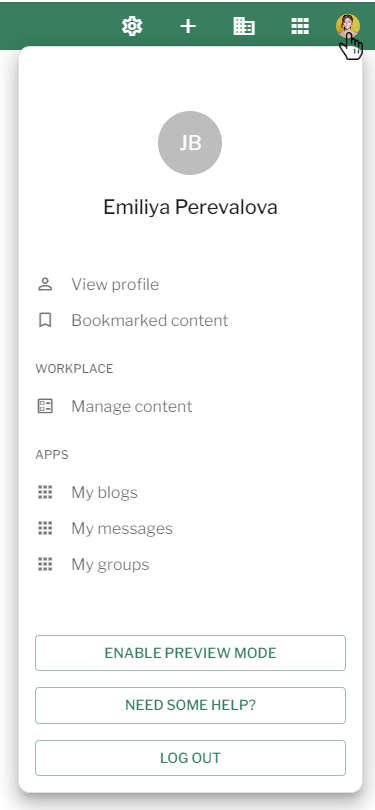
Profile Menu – In App Support
In App Support – Create Screen
Steps
- Navigate to the ‘Create‘ button in the ‘Workbar‘ and select a piece of ‘Content‘ you would like to create
- You will be redirected to the ‘Create‘ screen of this ‘Content‘
- In the top right There will be three buttons, select the ‘?‘ button
- Here you will be redirected to the relevant ‘Support page‘ for that piece of ‘Content‘

In App Support – Create Screen
In App Support – Edit Screen
Steps
- Navigate to a piece of ‘Content‘ that you would like to ‘Edit‘
- Once you have found the piece of ‘Content‘
- Select the ‘Three dots‘ in the top right next to the ‘Save‘ button
- Select ‘Need Some Help?‘ from the list of options
- Here you will be redirected to the relevant ‘Support page‘ for that piece of ‘Content‘
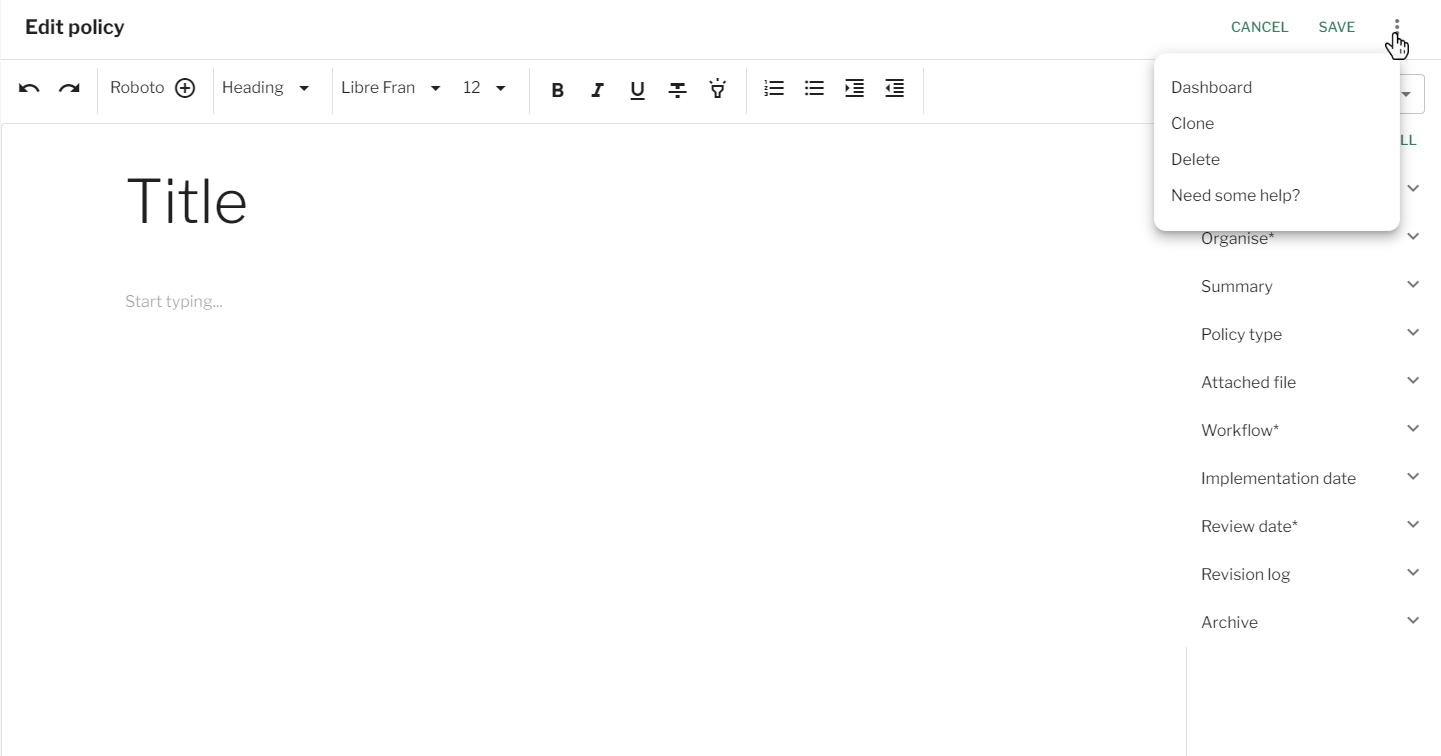
In App Support – Edit Screen
Couldn't find what you're looking for?
We're here to help. Please raise a support request via our help desk and we'll get back to you asap